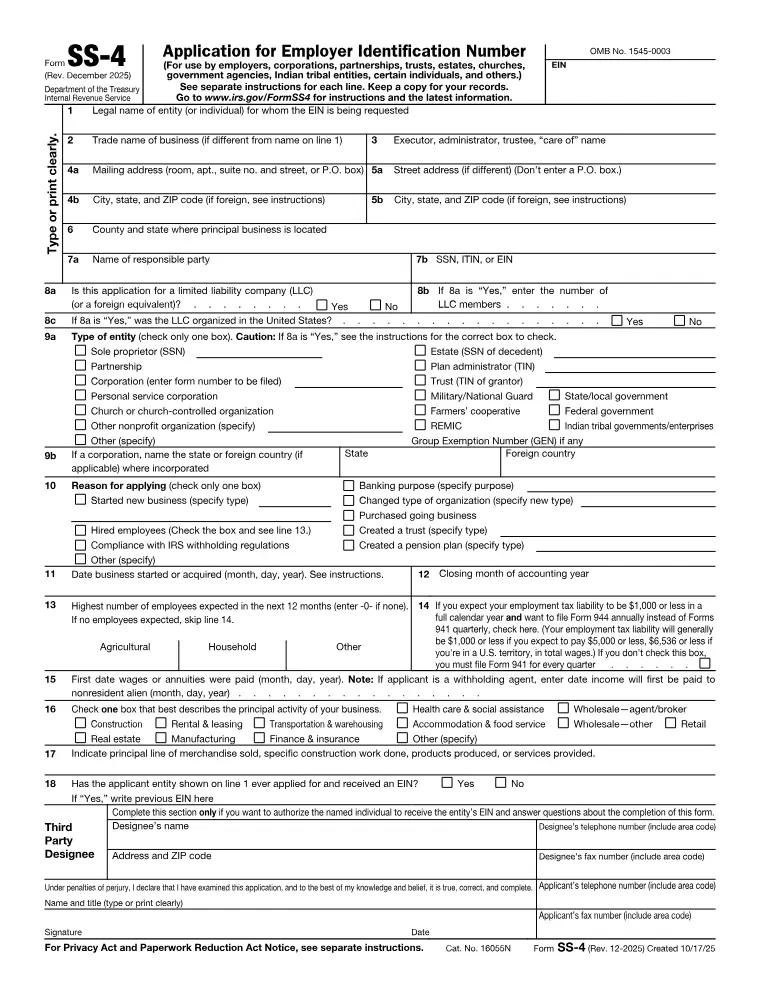
What this form is for
Application for Employer Identification Number (SS-4). Applies for an Employer Identification Number — the tax number for a business.
Who needs it
New businesses, employers, corporations, partnerships, and estates and trusts that need their own number.
When you do not need it
A sole proprietor with no employees can generally use their own SSN. An EIN is still worth having if you would rather not hand your SSN to every client on a W-9.
How to fill it in
Open the file in the Quire editor. Existing form fields become editable straight away; on a flat scan you can drop your own text boxes, checkboxes and dates exactly where they belong. Sign it with the Sign tool — draw, type or upload your signature — then export.
Everything happens in your browser. A tax or immigration form carries enough personal information that it has no business sitting on somebody else's server, and here it never does.
What goes wrong
- Applying online through the IRS gives the number immediately. This form is the route for applicants without a US taxpayer number, by fax or post, and takes weeks.
Where it goes
Follow the address or e-file route printed in the current IRS instructions for this form. Those change between tax years, so check the instructions rather than reusing last year’s envelope.
This page explains the document and helps you fill it in. It is not legal or tax advice, and it is not affiliated with any government agency.